April 30th, 2026
Here is a list of recent smaller changes that aim to make Stackd easier to use:
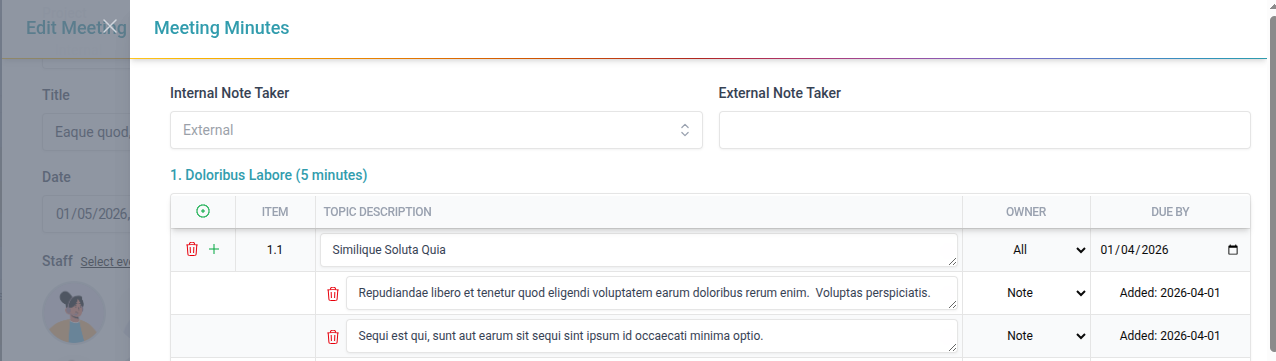
Various improvements to meeting minutes editing experience
Minutes now open in a separate slide-over
Topics and action items text input areas now wrap and can be expanded
Topics and actions items now confirm before deleting
Table headers are now frozen/sticky
Page now scrolls down when adding an item at the bottom of the page
Now warns about unsaved changes on close
Add totals to footer on project billing index page and allow changing items per page
Docs received description is now optional
Make it easier to refresh Project Rates from the selected list
Also better indicate when a rate category is missing from Project Rates (for categories added after the project was created)
Fall back to default rate category rate when a user logs time under a rate category missing from the project rates
April 20th, 2026
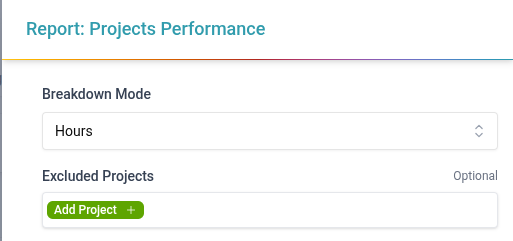
This release adds 2 Project KPI reports to help users gain insights into the performance of projects.
Single Project Performance Report - Invoicing Performance breakdown on an individual project basis. Provides a per-employee performance breakdown
All Project Performance Report - Filterable Invoicing Performance breakdown across all projects in the system.
Split between phased and time & expense projects
Reports contain the following metrics
Total Normal Hours
Total Overtime Hours
Total Hours
Total Billed Hours
Total WIP Hours
Total Written-off Hours
Hours Estimate
Fee Estimate
Original Proposal Fee
Scope Change Fee
Scope Growth Rate
Invoiced To Date
Cost To Date
Write-off Rate
Billed Ratio
Billing Completion
Budget Consumption
Project Efficiency
March 30th, 2026
Here is a list of recent smaller changes that aim to make Stackd easier to use:
Improve handling of Timezone difference when selecting times on Field Reviews, Memos, and Meetings
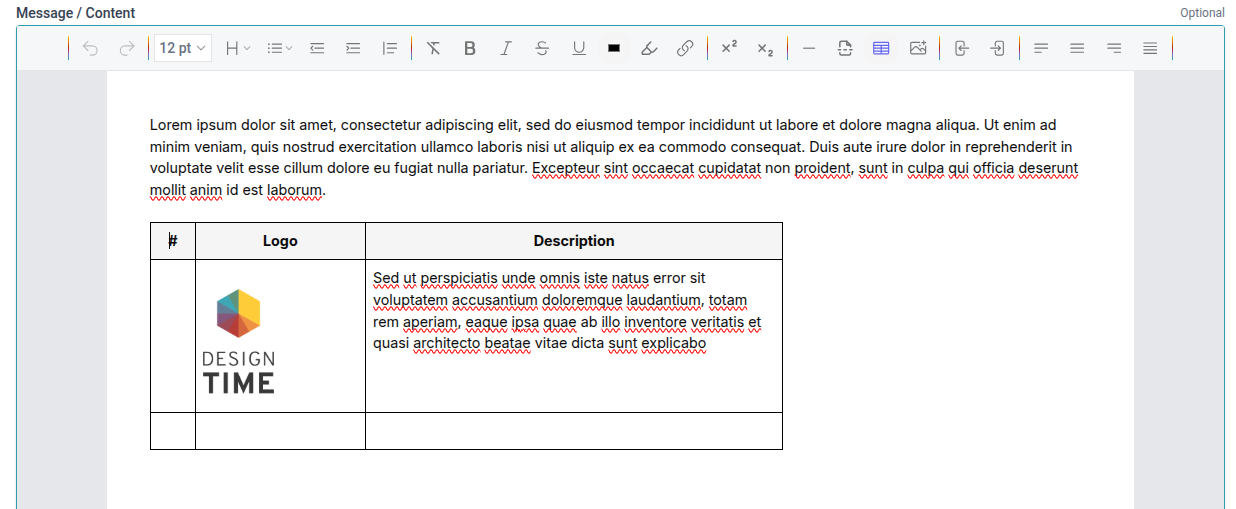
Several improvements to Rich Text Editors to better align them with what appears on the PDF
Add ability to insert images by uploading them
Allow resizing table columns and make several smaller tweaks to table editing to make them easier to use
Use a new, cleaner font for PDF documents (switched from Roboto in Inter)
Add graph/widget similar to dashboard ones to billing overview screen on Project Billing page
Dashboard widgets now better handle custom phases
Detect and warn users if they are editing the same document on a project
Also applies to Inventory > Software Licenses
Coming to more areas in future
Proposal billing type has been renamed to “Phased” to better conform to industry standards
Allow manually disabling tracking of status on Risk Assessments
Consolidate Issued for Review percentage status options on Transmittals
Add description hints to permissions
Add filtering to Guidelines and Quality Management tables on Project Codes & Guidelines screen
Add basic avatar upload customisation (zoom and pan)
Improve Tasks/Memo/Design Review email links to go directly to the relevant item instead of just the project page
Also make project name a link to go directly to the project
Chatbot now remembers previous conversations
Show a draft watermark over signatures for documents that have not been completed
March 23rd, 2026
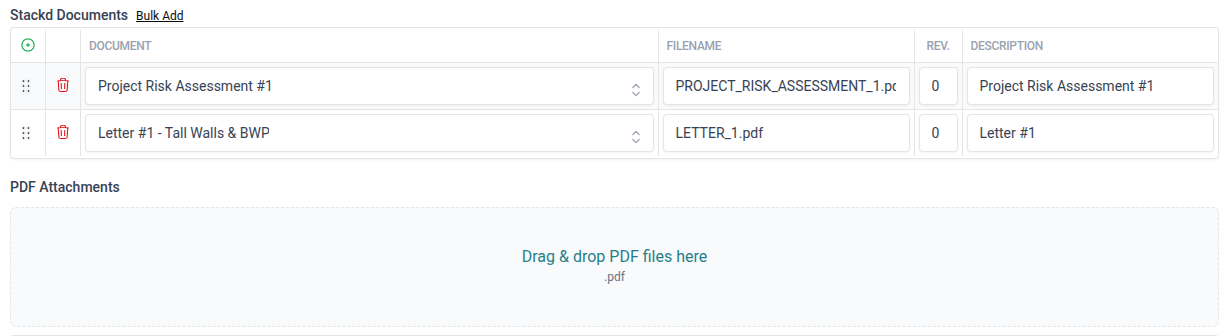
Users can now quickly attach existing project documents to other documents without having to download and re-upload them.
Most project documents supported
Documents show up as a table with a name, title, rev, and link to the document
Documents are not merged into the same PDF in part due to size constraints, but more importantly merging a signed document with another document will invalidate the digital signature of the document
Only completed documents can be used this way
Works similarly to Transmittal documents
March 18th, 2026
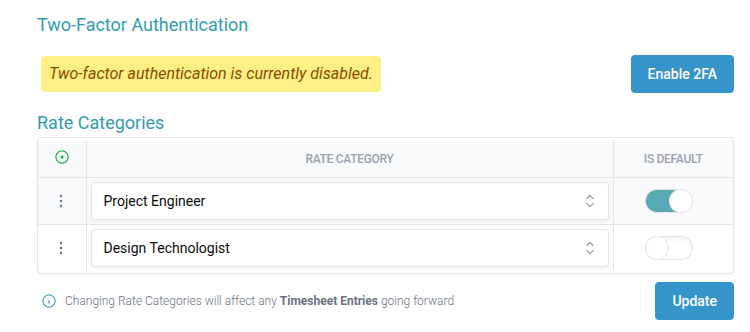
Users can now be assigned multiple rate categories
Add ability to specify default rate category
Time entry now include rate category
Default rate category is pre-selected to ensure time is still fast for most case
Selected rate category will now pull through during invoicing with the appropriate rate
February 13th, 2026
Here is a list of recent smaller changes that aim to make Stackd easier to use:
Add a fallback for users with no avatar to display their initials
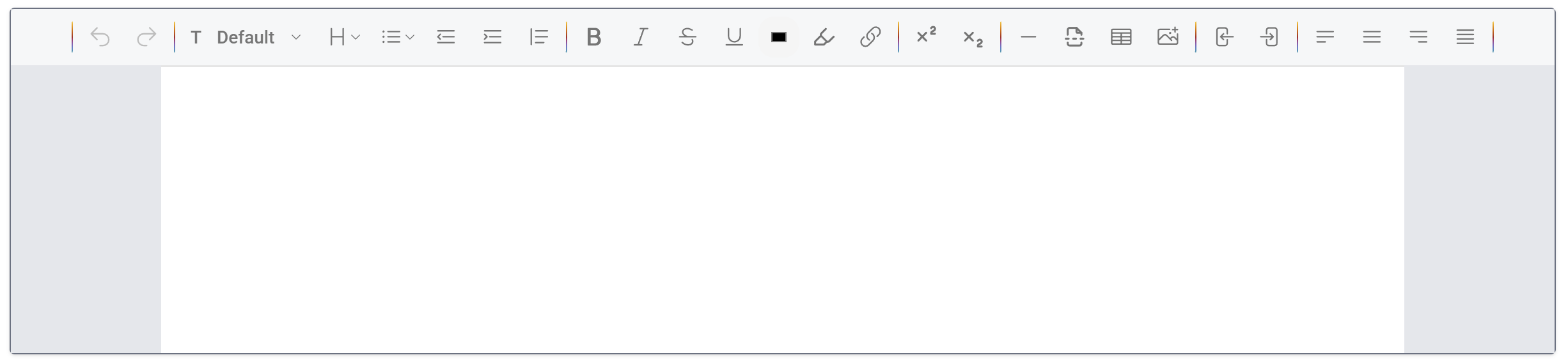
Adjust rich text editors editable area to more closely match the width of the PDF documents
This should make it easier to see how text will wrap
Add the ability to upload images and insert them into rich text
Previously users would have to paste an image link
Add the ability to resize table columns and improved the general editing experience when working with tables
Add ability to mark subconsultant invoice as unpaid and change status
February 13th, 2026
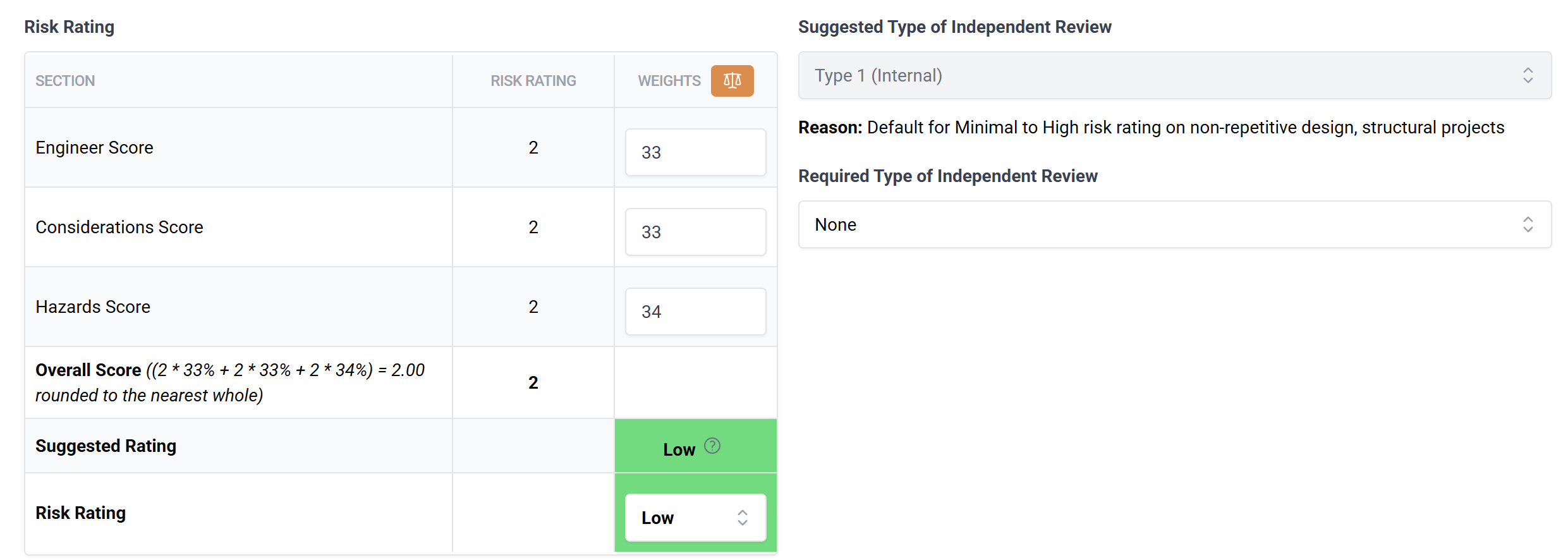
This release makes risk assessment a document so that it can be reviewed, revised, and templated just like other documents. We also now better support HRPAW Risk Assessments and have make risk assessments less structural specific
Add Risk Assessment to documents list
Support reviewing and revising risk assessments
Update risk assessment templates to have more like other documents templates
Added more rich text areas to help guide risk assessment
Allow users to change the risk assessment rating/score as needed and override the suggested level of Independent Review required
Allow turning risk assessment IR completion tracking on or off on a per-document basis
Allow changing weights for scores
Expand help and info sections give more examples and help users think of potential factors
February 13th, 2026
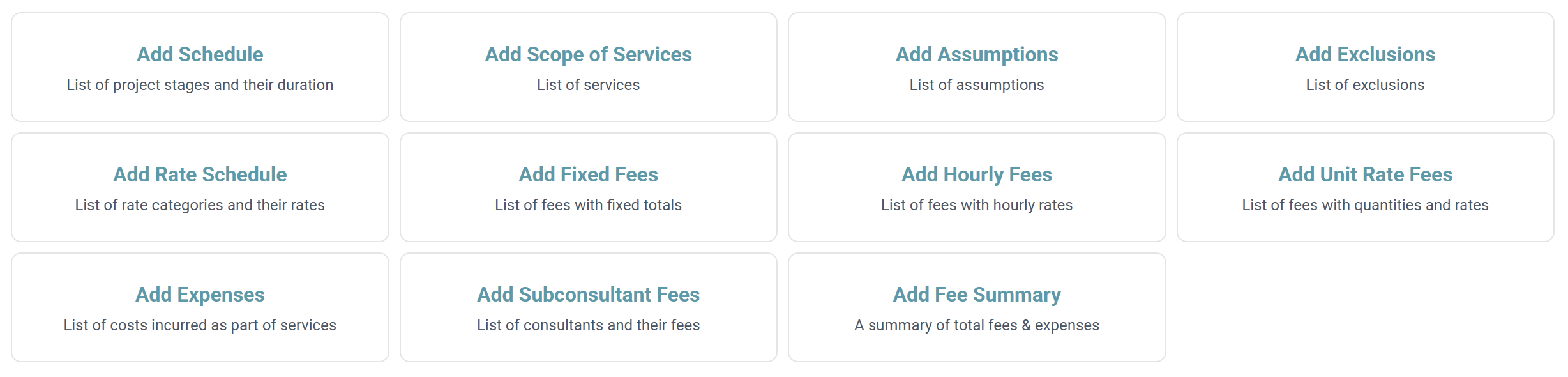
Introducing a reimagined way of creating proposals to better accommodate different kinds of projects and make all aspects of proposals more customizable. With improved tracking of expenses and fees.
Proposals documents are now broken up into sections. Each section supports different parts of a proposals.
We now have dedicated sections for Fixed fees for Unit-Rate Fees which allows you to create proposals that are not purely based on hourly fees.
Each section has prepend and append wording that can be changed
Section titles can be changed
Each section can be included in either the proposal “main” PDF, or in a breakdown PDF
Section can also be included in both, or neither (for example if we want to internally have a more precise breakdown, but only show the client the total)
All previous elements included in proposals have been converted into sections (eg. fee summary, assumptions and exclusions, rate schedule, subconsultants etc.)
A section has been added for expenses which replaces the existing expenses column and connects with a new list for General Expense Types (eg. Mileage, Travel, or Hotels)
The expense types list can be edited in Global Lists
This integrates with invoicing as described below
Sections can be freely rearranged
Mismatched rates and phases between projects and proposals are now detected and users can update the proposal to reflect the changes made to project rates/phases\
The rate schedule section has been updated to make it easier to import from global or project rates
Wording parts like Terms and Conditions, and Closure have been moved to a new wording section to make it easy to focus on the main parts of the proposals while defaults are used for wording, but can be changed when needed
Each section’s prepend and append wording can also be edited from here
Project phases can now be excluded/hidden from a proposal and phases can be aliased (renamed)
The original phase names are still used internally, but the proposals PDFs and Invoice will use the aliases.
Personnel rates can now be excluded/hidden from a proposal and job titles/rate categories can be aliased (renamed)
The original rate category names are still used internally, but the proposals PDFs and Invoice will use the aliases.
Added a General Expenses section to Time & Expense
Users can use this section to keep track of expenses incurred for projects
General expense type entries can be marked as billable and/or reimbursable
General expense entries can be marked as reimbursed and the billed status is integrated with invoicing
Invoices now track percentage complete and prior billed amounts for expenses
Expense are now rolled into Proposal Summary totals when updating from Time and Expense (previously called items breakdown)
Added a PDF option on Invoices to include an expenses breakdown (similar to the existing timesheets breakdown) for proposal/phased billing
January 19th, 2026
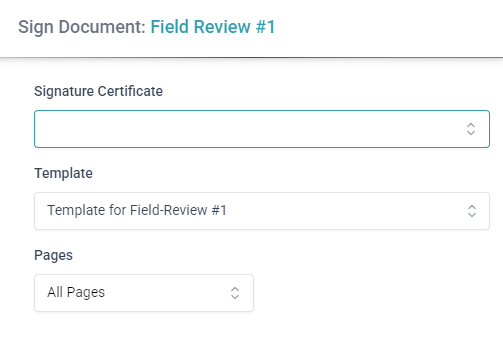
Stackd now supports signing via ConignO for most documents.
Add signing to Letters, Assessments, Schedules, Site Instructions, and most other documents
To get started, open a completed document and under “More actions” click on “Sign Document with ConsignO”
Some documents require a placeholder for the seal/stamp to be added when completing the document. This option will show up in the PDF options when completing the document. Instead of using the default signature, change the signature option to placeholder and the document will be signable after completion.
For signing Schedules you will need to setup a Document Signing Template with the signature zones. These can be imported from ConsignO desktop. For more information check out the user guide.
Documents are signed using your default signature and stamp on your user profile section under “Signatures, Stamps & Initials”
Allow multiple users to sign the same document if there are multiple seal placeholders/sections
Document Signing Templates and Prefilled Templates have been pre-populated with commonly used defaults
Feel free to delete any that are not relevant
January 19th, 2026
Here is a list of recent smaller changes that aim to make Stackd easier to use:
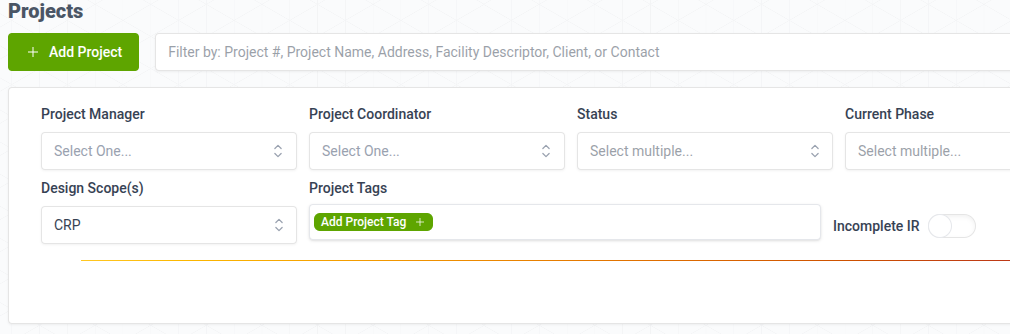
Add ability to filter Projects by Design Scopes
Add ability to view Transmittal PDF after it has been sent
Add Permissions responsibilities for Engineer or Record, Engineer in Training, and Project Manager
These are no longer tied to specific roles which means we not also allow deleting and renaming roles that were previously protected (because they were tied to specific responsibilities)
Add initial support for multi-block/multi-building projects
Can specify Project as Multi-building during create or edit
Add ability to view, create, edit, and delete buildings on Project page (only when Multi-building is turned on)
Basic support for buildings in certain docs
Support for more docs and better integration of buildings is coming
Simplify project tag groups
These are no longer linked to a discipline which makes them more versatile and easier to use
If two tags with the same name under different groups is selected we now prefix the tag name with the group name
Make dashboard timesheet breakdown pie chart colours consistent for different categories
This makes it easier to visually compare them
Swap the contact and client fields on project create and edit pages
This now has a more natural flow
Contact is now also optional which makes it easier to quickly create projects and fill in the details later
Show contacts for selected client at the top of the list
Add ability for users to reset their own password
Can be turned off via a setting
Add email notifications for Milestones
On creation (sent to all assigned users),
On update (sent to newly added users only)
On completion (sent to all milestone users, including the submitter)
Personnel KPI Report Enhancements
Move columns to improve visual flow
Add 'Total Hours Worked' column
Add Overhead hour breakdown per employee to the Personnel report as a new sheet
Show Project status on project billing page
Automatically refresh Collaboration Hub
Makes it easier to see when new items arrive
Add a general notes section on clients
Add ability to change Branch and IR Completion status directly from Project Quick View
Add filter for project coordinator to project billing page