August 25th, 2025
Release v2.33
This release focuses on a variety of quality of life changes across many areas of the ERP.
Add ability to enter longer invoice numbers
This allows using project numbers as a base for invoice numbers
Show period total per project on timesheet page
Add PDF option to not show invoice history when generating invoice PDF
Only applicable for projects with more than 1 invoice
Add “Not Awarded” project status to better differentiate between cancelled projects and proposals that were not awarded
Add PDF option on proposals to group scope of services by phase
Add ability to re-send meeting emails
Allow searching for projects by primary contact name on projects and projects billing pages
Order contacts on clients page alphabetically
Add a warning for mismatched phase/discipline items on proposal invoices
Settings for project initial tasks and proposal schedule fee prepend
Add setting for when initial project task creation is triggered
Add a setting for the text that appears before the hourly rate schedule on proposals
Add the ability to mark tasks as incomplete and fix tasks not updating dashboard when re-assigned
Memos quality of life improvements
Can now populate the "From" details from a contact and you can edit some fields on a memo after creation (in case you want to add more details before forwarding it)
Auto add note for who memo was forwarded from
Show banner indicating when a memo was archived
Add notes section
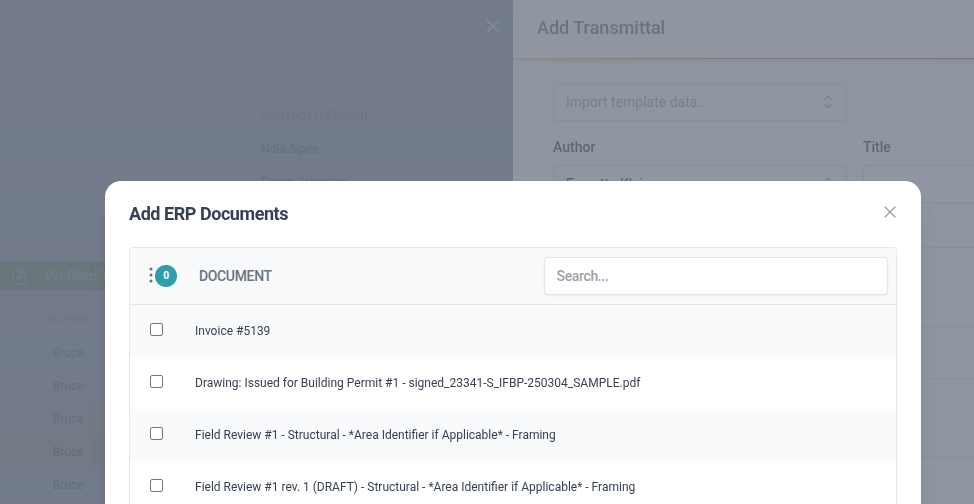
Bulk add documents to a transmittal (the button appears right next to the ERP Documents heading) and the file names are now auto populated
Proposal Breakdown is now available as an ERP Document in Transmittals
Add ability to upload PDF attachments on Design Check Sheets
Improve look and feel of users management screen
Add Stackd logo to the footer of documents
On my default, but can be turned off in the setting “Show Stackd logo in PDF footer”
Better standardize the use of Rate Category/Job Title/Role throughout the system to make it easier to identify users with incorrect values
The System > Roles and Permissions page now makes it easier to compare these values across all users